
 Canada EN
 Mexico ES

Table of Contents:
Signs of Battery Corrosion | DIY Guide | What You'll Need | Step-by-Step | You're Ready to Go!
Has your car been acting a little sluggish lately? Maybe it's slow to start, or the lights seem dimmer than usual? It might not be anything serious. Fixing it could be something as simple as removing battery corrosion on your terminals.
Your car battery is a vital component of your vehicle's electrical system and keeping it clean is an easy way to keep your car running well. Over time, corrosion can build up on the terminals, leading to poor electrical contact, starting issues and even battery failure. The good news? You don't need to be a mechanic to fix it. How to clean battery corrosion is an easy process. With a few tools and the right products, you can remove corrosion from battery terminals at home in under 30 minutes.
Recognizing the Signs of Battery Corrosion
There are a few signs that your battery terminals might be due for a cleaning. For starters, if your engine cranks slowly or you hear a rapid clicking sound when you turn the key, that's a red flag. You might also notice your headlights are dimmer than usual, your dashboard lights flicker or your power windows aren't working quite right. In some cases, your dashboard may even display a battery warning light, which can be triggered by poor terminal contact rather than a failing battery.
But the most obvious clue? Pop the hood and take a look. If you see a white, green or bluish crusty buildup around the battery terminals, that's corrosion—and it's time to take action.
Simple DiY: How to Clean Battery Corrosion
Cleaning your battery terminals is a straightforward process that requires only a few basic tools and safety precautions. You don't need a garage full of tools to get this done.
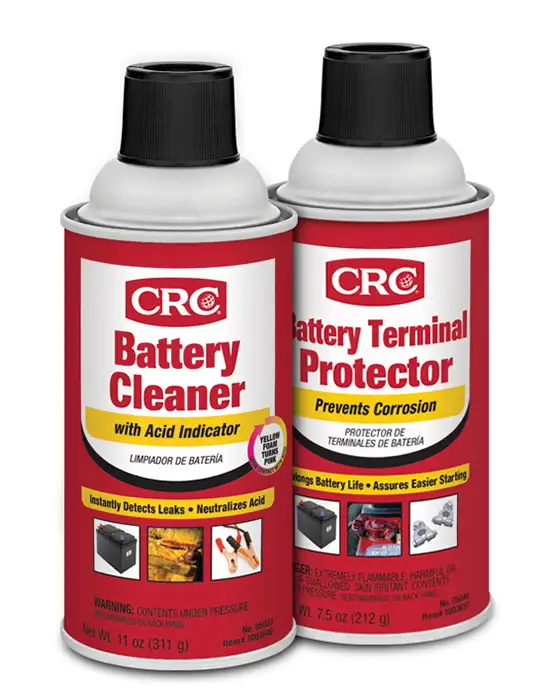
Tools for Cleaning Battery Corrosion:
- Safety gloves and goggles
- A wrench or pliers
- A wire brush
- A cloth or paper towels
- Battery Corrosion Cleaner
- Battery Terminal Protector
Step-by-Step Instructions to Remove Battery Corrosion:
- Turn Off the Engine
Always make sure your vehicle is off and the keys are removed. - Apply Battery Cleaner
Choosing the right cleaner makes all the difference. CRC Battery Cleaner with Acid Indicator is a great choice as it instantly detects leaks and neutralizes acid.- Shake the can of battery cleaner well, then spray it directly onto the terminals and cable ends. The cleaner sprays out as yellow foam and turns pink when it finds acid.
- Let it sit for a minute or two to break down corrosion and neutralize any acid residue.
- Keep spraying until all you see is yellow, so you know the acid is fully neutralized.
- Rinse and Dry
Wipe off any residue with a damp cloth and dry the terminals completely. - Disconnect the Battery
Start with the negative terminal (black), then the positive (red). Use a wrench to loosen the clamps. - Scrub the Battery Terminals Clean
For stubborn corrosion, use a wire brush to scrub away corrosion. Be thorough but gentle to avoid damaging the terminals. Repeat cleaning/rinsing again with battery cleaner. - Reconnect the Car Battery
After everything is rinsed and dry, attach the positive terminal first, then the negative. Tighten the clamps securely. - Apply Battery Terminal Protector
Once clean and dry, spray CRC Battery Terminal Protector to prevent future corrosion. This specially engineered formula creates a protective layer that resists moisture and acid buildup for battery corrosion protection.
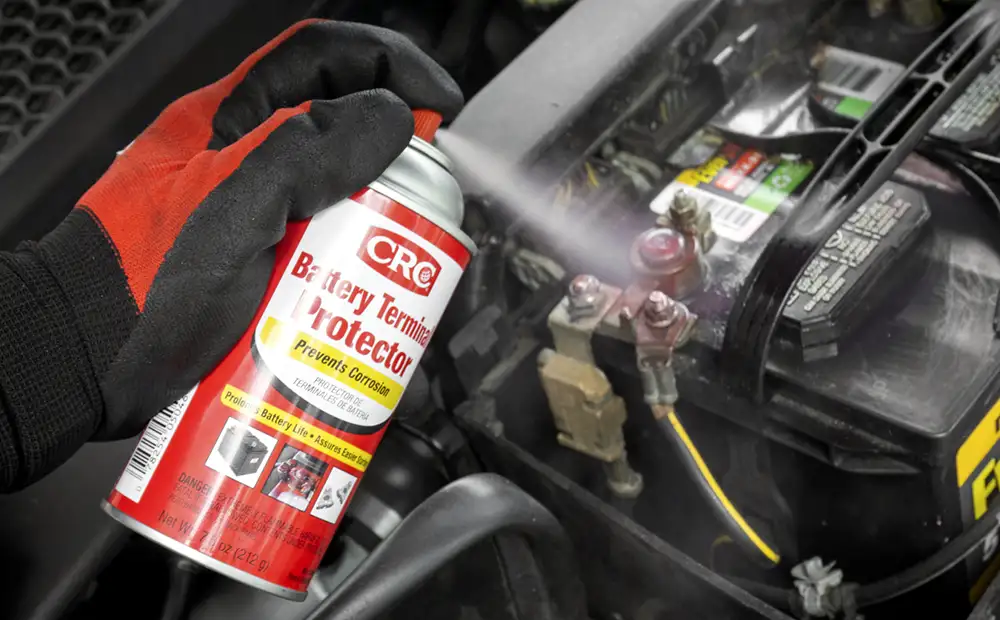
Battery Corrosion Gone, You're Ready to Go!

Cleaning your battery terminals is not only cost-effective but also empowering. It saves you a trip to the mechanic and gives you confidence in handling basic car maintenance. Keeping your battery terminals clean is a small task that can prevent big problems. With the right tools and a little time, you can ensure your car starts reliably and runs smoothly—all without leaving your driveway.